
Quick reference
Run these commands in PowerShell from the extracted release folder. Need the executable? See Getting Started.
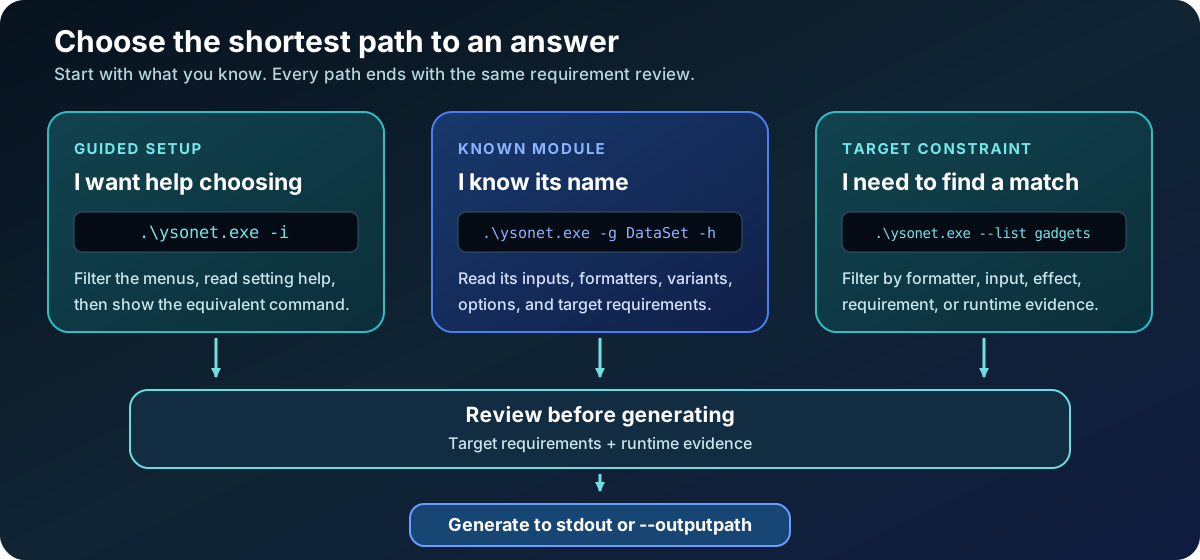
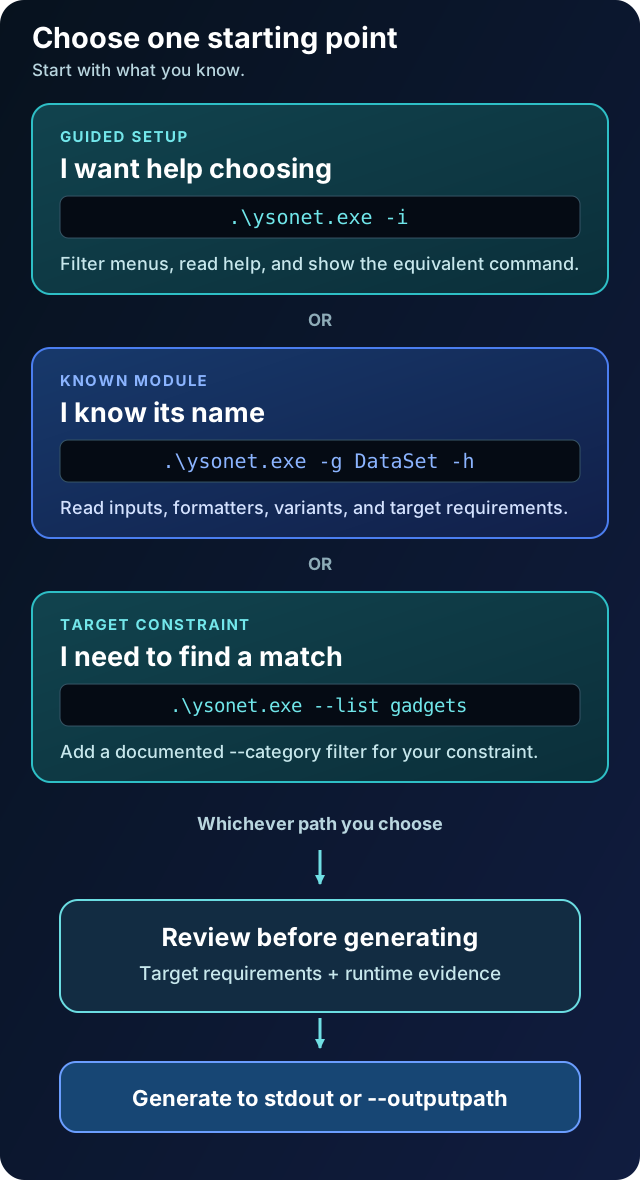
Choose a task
Section titled “Choose a task”| I want to... | Command |
|---|---|
| Configure a payload interactively | .\ysonet.exe -i |
| List gadget names | .\ysonet.exe --list gadgets |
| List plugin names | .\ysonet.exe --list plugins |
| Find gadgets for a formatter | .\ysonet.exe --list gadgets --category=formatter=Json.NET |
| Find gadgets with a recorded target version | .\ysonet.exe --list gadgets --category=version=4.8.1 |
| Show the compact command guide | .\ysonet.exe --help |
| Read help for one gadget | .\ysonet.exe -g ObjectDataProvider -h |
| Read help for one plugin | .\ysonet.exe -p ViewState -h |
| List a gadget's formatters | .\ysonet.exe --list formatters -g ObjectDataProvider |
| Read the exhaustive reference | .\ysonet.exe --fullhelp |
In the wizard, choose Show ysonet command to copy your configuration as a command. Module help explains its inputs, variants, and target requirements. A listed runtime is recorded evidence, not a guarantee for every application.
Generate and save
Section titled “Generate and save”.\ysonet.exe -g ObjectDataProvider -f Json.Net -c "echo ysonet-example" -o raw --outputpath payload.jsonThis creates payload.json in the current folder. It generates a payload without
executing it locally. --outputpath replaces an existing file, so choose a fresh
name when you want to keep an earlier result.
| Option | Meaning |
|---|---|
-g / -p | Choose a gadget / plugin. |
-f | Choose a formatter supported by that gadget. |
-c | Supply its input: often a command, sometimes a URL or path. |
-o | Select an output encoding, such as raw or base64. |
--outputpath | Save directly to a file, preserving binary bytes. |
--variant | Select a module-specific variant; consult its help. |
--minify | Request smaller output where supported. |
-t | Run a local deserialization test where supported; this may execute the payload's effect. |
Plugins have their own options and output conventions. Check their help before
reusing gadget arguments. Invalid or incomplete commands and failed output writes
exit nonzero. Check $LASTEXITCODE; diagnostics go to stderr and requested data goes
to stdout (or --outputpath). See the scripting contract.
Diagnose or integrate
Section titled “Diagnose or integrate”.\ysonet.exe doctor.\ysonet.exe --list catalog.\ysonet.exe --list catalog-schemaDoctor checks the local installation without running payloads. The JSON catalog exports structured declarations for wrappers and documentation; its schema and stability policy are separate from the tool version.
Next steps
Section titled “Next steps”- Moving from ysoserial.net: adapt saved commands.
- Full usage and examples: encodings, variants, runtime targeting, bridges, and worked examples.
- Gadgets and plugins: browse the complete catalog.
- PowerShell completion: complete options and names.